Description
Career Skills Inventory Practical is a focused, hands-on guide for identifying your skills and connecting them to credible evidence from your experience.
You will explore skills developed through education, employment, projects, volunteering, community work, family responsibilities, and self-directed learning. You will then organize your skills, assess your proficiency using real examples, and select exactly three priorities aligned with your next career or project goal.
What You Will Complete
- A categorized inventory of your current skills.
- An evidence and proficiency assessment for your most relevant skills.
- Three priority skills linked to a clear career or project goal.
- An evidence-based career skills summary.
- A practical three-action skills development plan.
- Two concise interview answers supported by real examples.
Everything Is Included Online
The online practical includes the complete worksheet, interview-practice scripts, speaking frameworks, reflection prompts, final checklist, and a completed fictional example. No additional software, coding environment, or project-file download is required.
Who This Practical Is For
This practical is suitable for learners, students, early-career professionals, job seekers, career changers, mentors, and career-development programmes. You can complete it independently or use it to support a mentoring or career-guidance conversation.
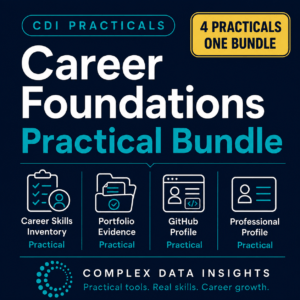
After completing this practical, continue with the Portfolio Evidence Practical to turn your selected skills and evidence gaps into stronger proof of work.